Please login to gain access to the KS2 assessment tool:
PiXL ID:
PiXL Username:
PiXL Password:
Add to home screen
⌂
Add to phone/tablet
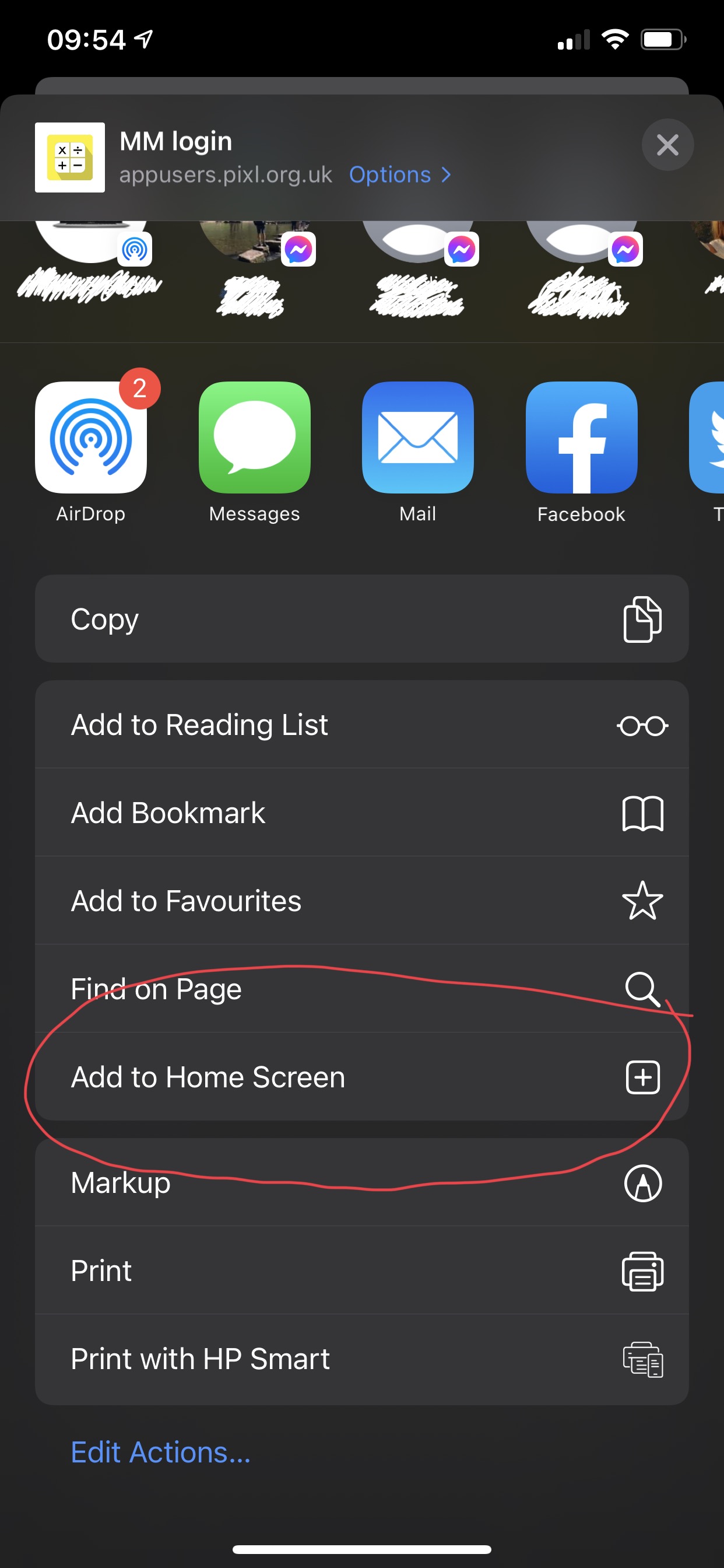
In order to install this application onto your phone or tablet, please follow the instructions below:
1. On your iOS device, open your Safari browser and navigate to the login page of the PiXL app you wish to install.
2. Select the share icon in the browser.
3. Select the option 'Add to Home Screen'. The app you are bookmarking will then be placed on your home screen.
Please note that if you are using a Mac or Macbook and Chrome as your browser, you will have already been prompted to install the application on your device.
Important update
The generic login has been updated for active members for the current academic year. Click here for more details.